Categorize Hundreds of Transactions Automatically
A multi-stage pipeline handles keyword matching, merchant cleanup, and AI categorization. The bulk of the work is done before you open the review screen.
For Bookkeepers
Upload their bank statements. PrepMyDocs categorizes every transaction automatically. You review the exceptions, export to Excel, and move on to the next client.
No credit card required. Cancel anytime.
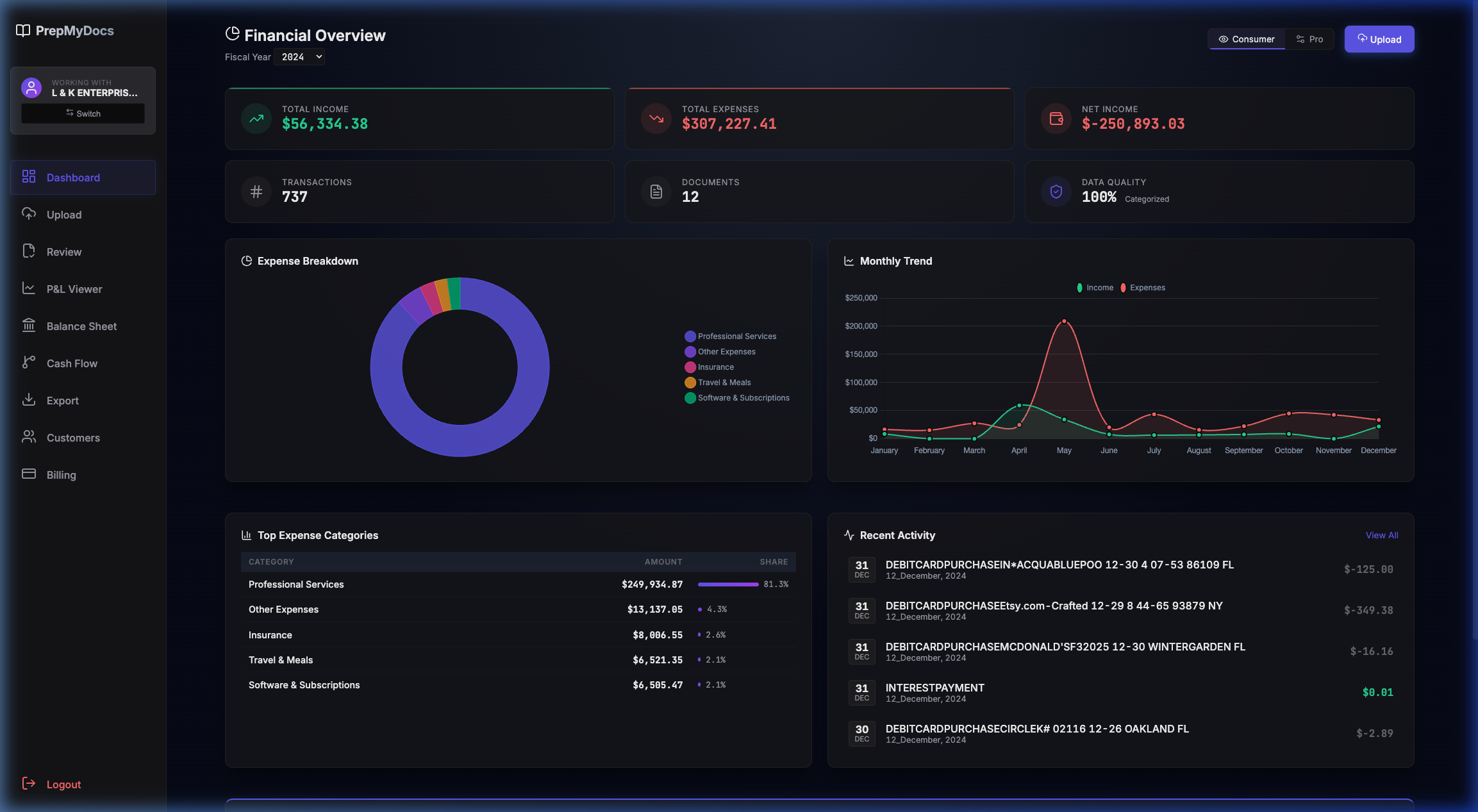
Three Steps. That’s It.
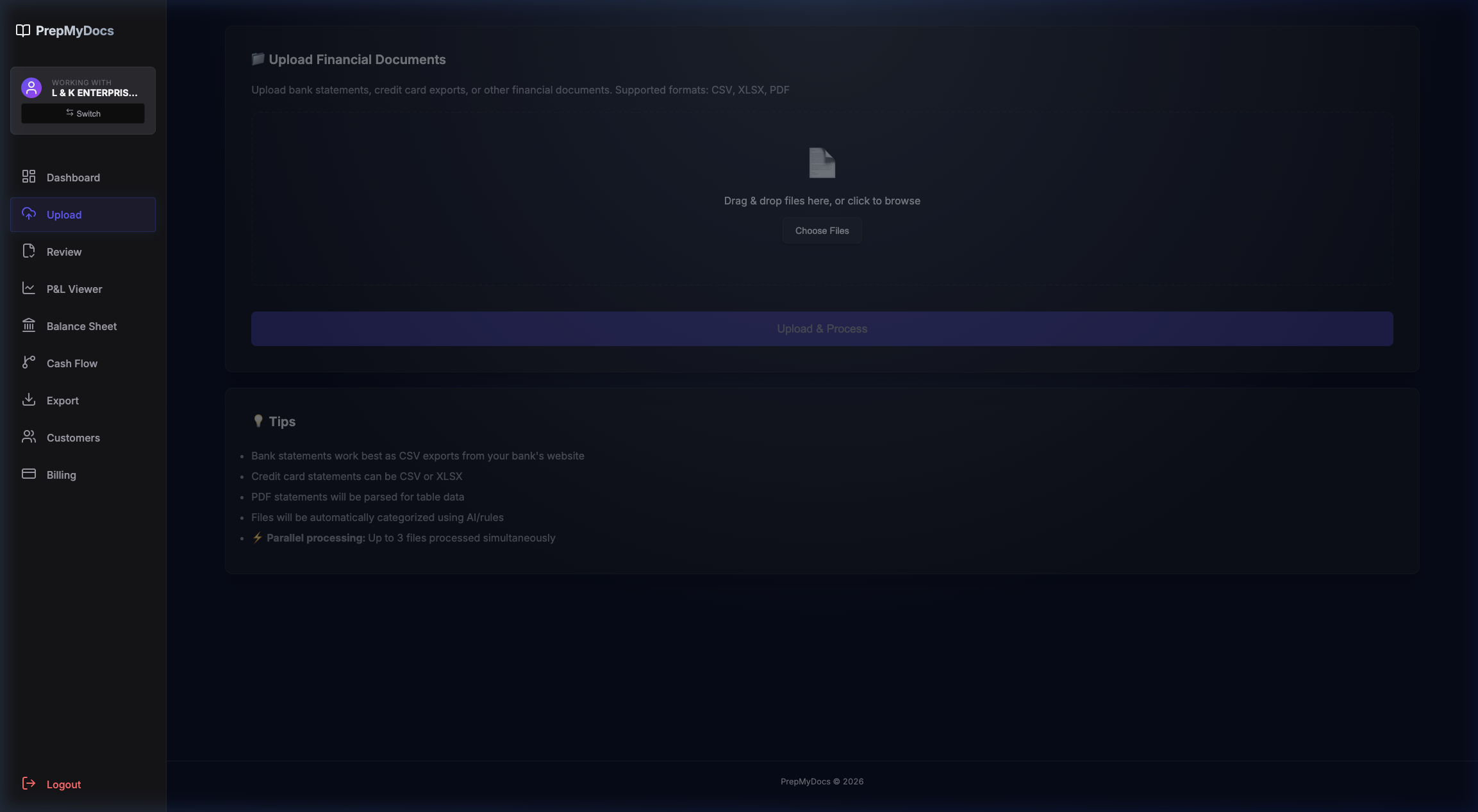
Drag in their bank statements and credit card exports. CSV, XLSX, or PDF—no reformatting needed. Processing starts automatically.
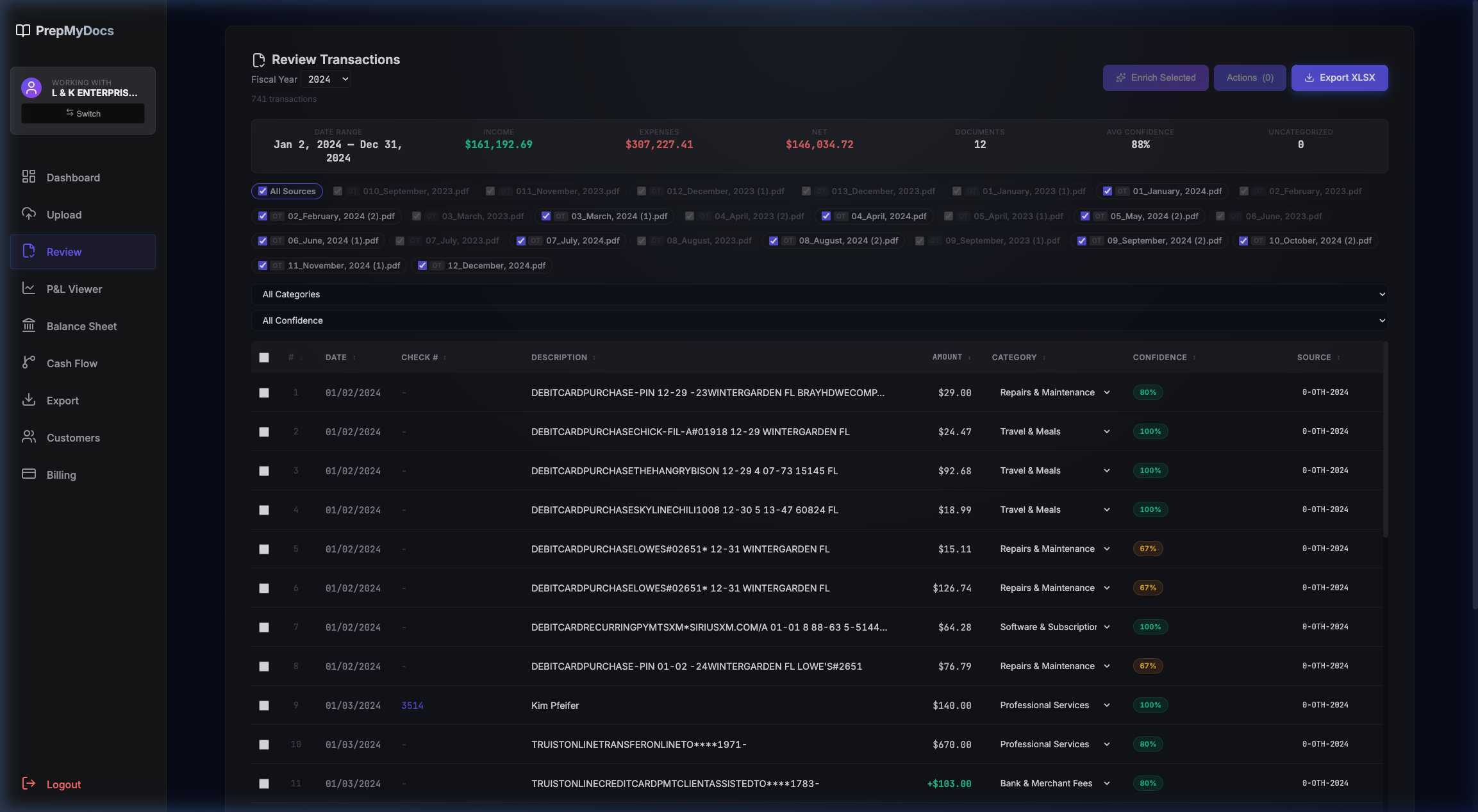
Most transactions are categorized automatically. Confidence scores tell you which ones need your attention. Skip the obvious stuff—fix only what the AI wasn’t sure about.
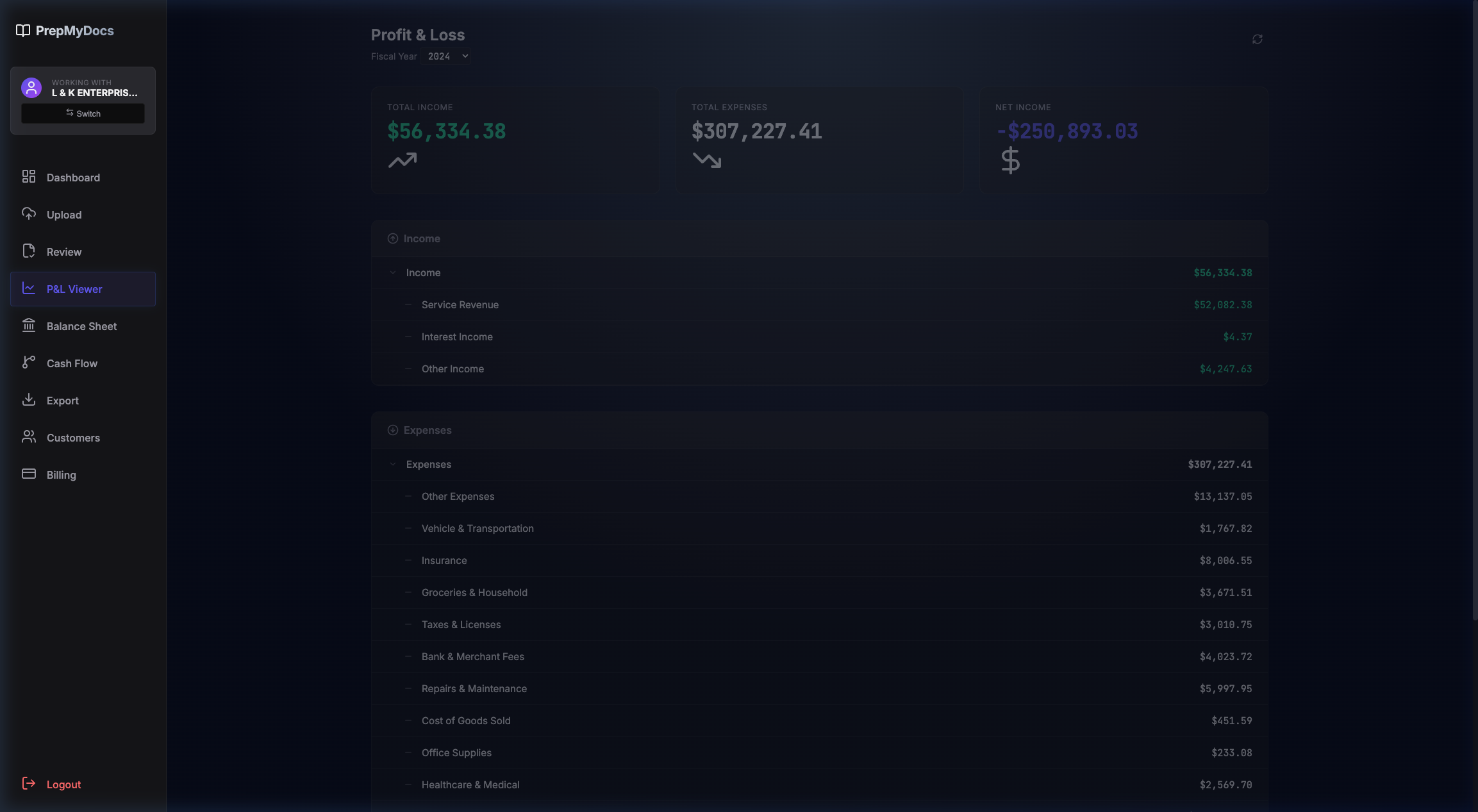
Download a structured Excel workbook with P&L, categorized transactions, and sources. Ready to import into QuickBooks or hand to your client.
Built for How Bookkeepers Actually Work
A multi-stage pipeline handles keyword matching, merchant cleanup, and AI categorization. The bulk of the work is done before you open the review screen.
Every transaction gets a confidence score. You spend your time on the 10% that actually needs a human, not the 90% that doesn’t.
Each client gets their own workspace. Uploads, categories, and exports never cross between clients. Onboard a new client? Create a workspace and start clean.
The Excel export includes P&L, categorized transactions, and source documents—all in separate tabs. Import into QuickBooks or send it straight to the CPA.
CSV, XLSX, or PDF. We auto-detect columns, parse transactions, and handle the formatting differences between banks. No templates, no manual column mapping.
See the same vendor miscategorized across 30 transactions? Select all, recategorize once. Batch operations save you the repetitive clicking that makes manual cleanup so tedious.
One Plan. Everything Included.
Everything you need to onboard clients faster. No tiers, no upsells. 14-day free trial, no credit card required.
No credit card to start. Cancel anytime. Your client data stays in isolated workspaces.
Common Questions
You’re not trusting the AI blindly—you’re reviewing its work. Every transaction gets a confidence score, and you approve everything before it’s exported. Think of it as a junior bookkeeper who does the first pass so you only handle the exceptions.
You set the categories per client. PrepMyDocs maps transactions against your chart of accounts. If the AI picks the wrong category, you fix it once and the pattern updates for next time.
PrepMyDocs isn’t an accounting system—it’s a prep tool. It handles the step QuickBooks makes you do manually: turning raw bank statements into categorized data. You use PrepMyDocs first, then import into QBO. They work together.
If PrepMyDocs saves you 3 hours per client onboarding, one client pays for the month. At $50+/hour, the math works on client #1. Every client after that is pure time savings.
CSV, XLSX, and PDF. Our parsers automatically detect columns and extract transactions. For PDFs, we use OCR to pull data from scanned statements. No reformatting needed.
Dext captures receipts and invoices. DocuClipper converts PDFs to CSV. PrepMyDocs goes further—it categorizes entire bank statements and exports QuickBooks-ready workbooks. It doesn’t stop at extraction; it does the categorization work too.
Your data stays in your isolated workspace. We don’t share it, sell it, or use it to train AI models. Each client’s data is completely separate from every other client’s.
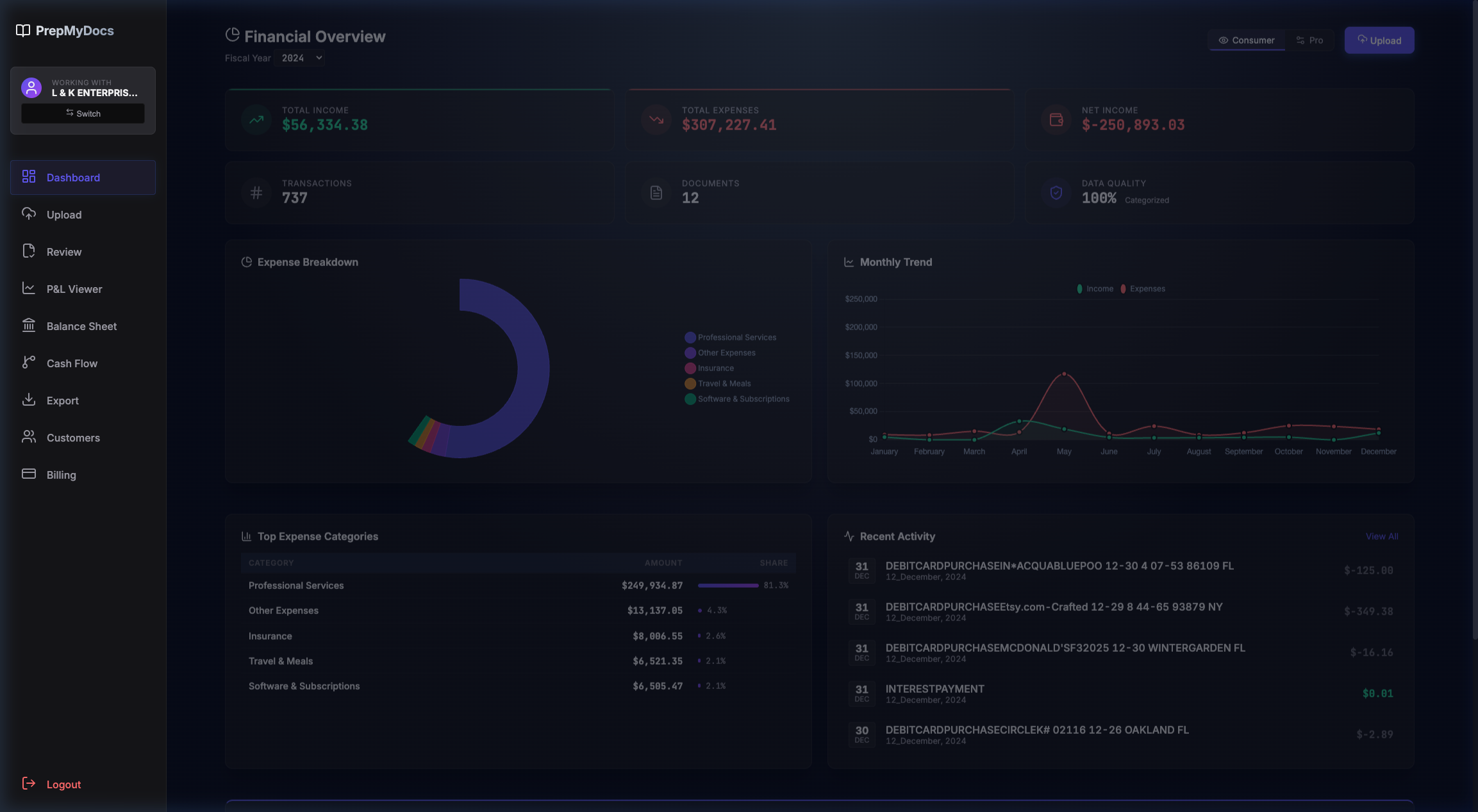
Ready to Get Started?
Upload their statements. Get categorized books back in minutes. Your first 14 days are free.
No credit card required. Cancel anytime. Your client data stays in isolated workspaces.
Proof, Not Promises
Here’s what the data shows.
We don’t have fake testimonials. We launched recently and we’re building this for bookkeepers who want to spend less time on data entry. Try it free for 14 days and see the results on your own client data.